


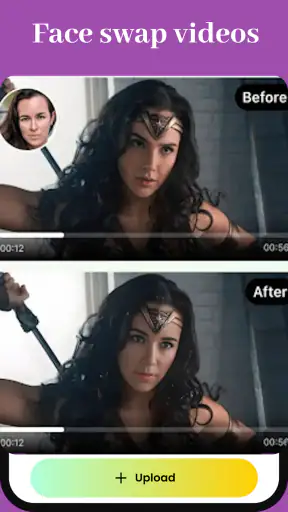
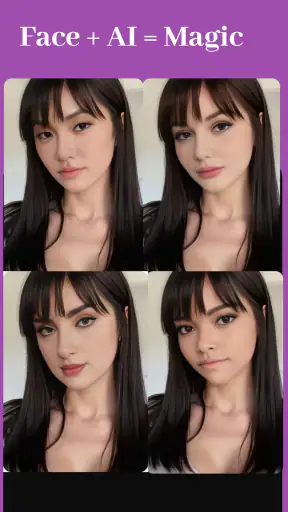



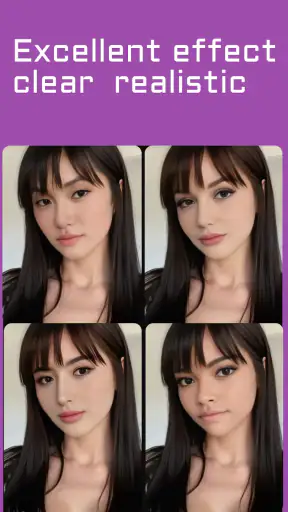
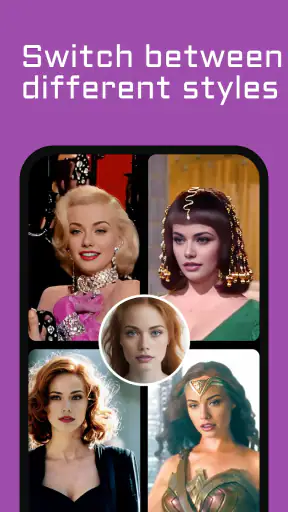

AI Face Swap Video App-Swapme caught my attention because it focuses on a very specific kind of quick visual experiment: replacing a face in a video. I found it more immediately entertaining than a general photo editor because the result is meant to move, react, and fit into a short clip rather than sit in a finished image. That makes the first few attempts feel playful, especially when the source video has clear lighting and a face that stays visible.
At the same time, I would not judge it only by the surprise of the first successful swap. The more useful question is whether it earns a regular place on your phone after the novelty wears off. In my experience, this is an occasional creative tool rather than an app I would open every day. It can be a good fit for casual edits, jokes between friends, and simple social content, but its lasting value depends heavily on how often you genuinely need this particular effect.
What the first week feels like
The app sits in the Art & Design category, although its practical use is closer to quick video creation than traditional drawing or illustration. Its developer is listed as Face swap video, and the store presents it as a free app for making face-swapped videos. I would describe the overall idea in simpler terms: choose a suitable clip, choose the face you want to use, and see whether the app can keep the replacement convincing as the video moves.
That workflow is appealing because it removes much of the work people usually associate with video editing. I do not need to build a timeline, mask every frame manually, or learn a desktop editor before trying an amusing concept. For someone who wants to test a visual idea quickly, that low barrier is the main attraction. The app is also aimed at a Teen audience, which feels appropriate for a tool that can be used creatively but still needs sensible judgment about the people and footage involved.
My strongest early advice is to choose the source material carefully. A face that is well lit, reasonably forward-facing, and visible for most of the clip gives the effect a much better chance of looking natural. Fast turns, hands across the face, strong shadows, and crowded scenes create more opportunities for the replacement to look unstable. This is not a criticism unique to one button or one screen; it is the basic trade-off of automated face editing. The app is most enjoyable when I work with the footage instead of expecting it to rescue difficult footage.
A useful first-week workflow is to prepare two or three candidate clips before starting. I would pick one with a steady head position, one with a little movement, and one that represents the kind of video I actually want to share. That small comparison tells me more than repeatedly forcing a poor clip through the process. It also prevents the common mistake of blaming the app when the real problem is an unsuitable source video.
The free entry point makes experimentation easy, but the experience is not entirely cost-free in the broader sense. In-app purchases range from $3.99 to $199.99 per item, so I would inspect any purchase screen carefully before committing. The wide range matters because an app that feels like a harmless novelty can become expensive if a user taps through options without understanding what is included. I would begin with the free experience and only consider paying after identifying a repeatable use for the editor.
The current version is 2.0.0, and the app supports devices running Android 6.0 or later. That makes it accessible to people using older Android hardware, although support on paper does not guarantee equally smooth results on every phone. Video processing can be demanding, so the practical experience will still depend on the device, the clip, and how much work the app has to perform. I would keep enough storage available for source and exported files rather than treating the app as something that needs no housekeeping.
Where the novelty is genuinely useful
The first-week appeal is strongest when I treat the app as a visual sketchbook. I can test whether a face replacement suits a short scene before spending time on a larger edit elsewhere. That makes it useful for planning a birthday joke, imagining a character in a clip, or preparing a playful message for a small group. The output does not need to become a polished production for the experiment to have value.
One realistic everyday scenario would be a friend preparing a short birthday greeting. Instead of recording a complicated performance, they could select a brief, clear clip and try a face swap that turns the message into a lighthearted surprise. The best result would probably be short and easy to understand. If the clip becomes too long or visually busy, the central joke can get lost, and the limitations of automated tracking become more noticeable.
Another useful case is creating a quick concept for social content. I could test a visual gag, compare two possible faces, and decide whether the idea is worth developing in a more capable editor. This is where the app can save time: it lets me answer “does this idea work at all?” before I invest in detailed editing. That role is more convincing than expecting it to replace a complete video-production workflow.
There is also a practical privacy habit I would recommend from the beginning. Use faces and footage that you have permission to edit and share, especially when other people appear in the clip. A funny result can still create an uncomfortable situation if someone did not agree to be included. The Teen rating is not a substitute for judgment, and the ease of making a swap should not encourage careless use of someone else’s identity.
Does it still matter after the first month?
After the initial experiments, the app’s value becomes more selective. I do not see it as a general-purpose editor that can support every part of a monthly content routine. Its recurring usefulness comes from having a steady stream of ideas that specifically benefit from a moving face replacement. If that describes you, the app can remain handy. If not, it may gradually become a novelty that stays installed but rarely opened.
The strongest long-term habit would be to keep a small collection of suitable source clips and use the app for clearly defined moments: a themed message, a humorous reaction, a creative test, or a quick visual draft. That is more sustainable than opening it without a plan and hoping inspiration appears. A narrow workflow can be a strength when the task is narrow too.
I would also separate experimentation from final production. For a casual post, the app may be enough. For a project where timing, sound, transitions, captions, color, and precise control all matter, I would move the result into a fuller video editor or choose that kind of tool from the start. A dedicated face-swap app is convenient because it focuses on one effect, but that focus also means it is not the natural home for every finishing task.
This comparison with usual alternatives is important. A standard photo editor is better when the face only needs to be changed in a still image. A full video editor is better when I need to control multiple layers, refine timing, or combine several effects. A manual editing workflow is better when accuracy and consistency matter more than speed. App-Swapme is most attractive in the middle: faster and simpler than manual work, but more specialized than a broad editor.
The app’s public reception suggests a mixed rather than universally smooth experience, with an average rating of 3.5 from around 10 thousand ratings and over 1 million installs. I read that as a reason to keep expectations practical. There is clearly enough interest for many people to try it, but the rating does not support assuming that every clip will produce a convincing result. I would judge it by the quality of my own source material and by whether the effect solves a real creative need.
What creates recurring value
The most valuable feature, from my perspective, is not simply the ability to swap a face. It is the speed of testing an idea. If I can move from a thought to a rough moving example without learning a complex editor, I gain a useful creative shortcut. That shortcut matters most for people who make occasional content and do not want to build a full technical workflow for one joke or one experiment.
A second less obvious benefit is comparison. I can use the same short clip to test different source faces or different concepts, then choose the version that reads most clearly. This is a better use of the app than making one attempt and assuming the first output is the best possible result. Small changes in the source image can make a noticeable difference, so treating the process as a quick series of tests is more productive than treating it as a single-click guarantee.
A third insight is that short clips are easier to evaluate than long ones. Keeping the action focused gives me a clearer sense of whether the replacement remains believable. It also makes sharing simpler and reduces the chance that a weak moment dominates the final result. I would rather create a brief clip with one strong visual idea than stretch the effect across a scene that demands more tracking precision than the app can comfortably provide.
These habits give the app a modest but real place in a creative routine. They do not turn it into a complete production suite, and they do not remove the need for judgment. They simply make its specialized purpose clearer: rapid face-swap experimentation for people who value convenience over detailed control.
The maintenance burden over time
Maintenance here is less about complicated settings and more about managing expectations, files, and spending. Video experiments can accumulate quickly, especially when I create several versions of the same idea. I would review saved clips regularly and remove failed exports once I know they are not useful. That keeps the phone easier to navigate and prevents a folder full of near-identical attempts from becoming part of the creative friction.
I would also keep track of which source images work best for me. A small personal selection of clear, well-lit portraits can make future experiments faster, but I would only retain material that I am comfortable using. This is one of those simple habits that improves the workflow without pretending the app has more advanced controls than it does.
The purchase structure deserves ongoing attention as well. Because individual in-app items can reach $199.99, I would never treat every prompt as a routine part of using a free app. Before spending, I would ask whether the feature solves a problem I expect to encounter repeatedly or whether I am paying because the latest result was amusing. That distinction is especially important for an effect whose appeal can fade quickly.
For occasional users, the free starting point may be enough to decide whether the app belongs in their routine. For frequent creators, the calculation is different: the app needs to save enough time or produce enough useful material to justify any purchase. I would not pay simply to make the app feel more complete. I would pay only if its specific face-swap workflow repeatedly replaces work I would otherwise do elsewhere.
There is also a maintenance burden in keeping creative standards realistic. A face replacement can be funny even when it is imperfect, but an imperfect result may not be suitable for a serious project. I would preview every clip before sharing it, paying attention to moments where the face turns, becomes partly hidden, or changes under difficult lighting. That review step is essential because a result that looks fine in a quick glance may contain distracting changes when watched from beginning to end.
Why fatigue can set in
The biggest source of fatigue is repetition. Once I have seen the basic face-swap effect several times, another similar clip may not feel as surprising. The app needs a clear idea behind it, not just a different face placed into the same kind of video. Without that creative purpose, the workflow becomes a sequence of tests with diminishing returns.
Another source of frustration is the gap between a simple concept and a convincing result. I may imagine a seamless transformation, but the outcome depends on movement, visibility, lighting, and the relationship between the source face and the target scene. When those elements do not cooperate, I spend time searching for better footage rather than editing the idea itself. That can be worthwhile during experimentation, but it becomes tiring if every attempt requires several retries.
The app is also not the right choice for users who want detailed artistic control. If my priority is precise masking, layered compositing, carefully timed transitions, or a consistent professional finish, I would choose a more advanced editor. App-Swapme’s appeal is speed and specialization; asking it to behave like a complete post-production tool is likely to create disappointment.
I would skip it entirely if my interest is limited to still photographs. A photo-focused editor will usually make more sense for that job because it is designed around a single frame. This app earns its space when the movement in a video is part of the point. Without that need, its central advantage becomes irrelevant.
I would also skip it if I am uncomfortable reviewing permissions, purchase prompts, and sharing choices on my own. The app is free to start, but free does not mean every part of the experience should be approached casually. A careful user can enjoy the creative tool more safely by choosing footage responsibly, checking outputs, and understanding any payment decision before confirming it.
My long-term verdict
After looking beyond the first laugh, I see AI Face Swap Video App-Swapme as a useful occasional tool with a narrow but understandable purpose. It makes a specialized video effect approachable, and it can help me test ideas much faster than a manual editing process. For casual creators, short-form experimenters, and people who want to prepare an amusing message without learning a full editor, that convenience can be enough reason to keep it installed.
Its lasting value is weaker for anyone who expects a complete video studio or consistently flawless results. The app depends on suitable footage, and the effect can lose its impact when used repeatedly without a fresh concept. The broad in-app purchase range also means I would stay cautious about spending, particularly if I only use the tool a few times.
My recommendation is therefore conditional but positive: try it when you have a specific face-swap video idea, begin with a short and well-lit clip, compare a few source options, and preview the entire result before sharing. Keep a fuller editor available for sound, timing, captions, and final polish. If you continue finding real uses for the effect, the app can become a convenient part of your creative toolkit. If the first-week novelty is the only reason you open it, uninstalling it later would be perfectly reasonable.
In short, I would not call it an everyday essential. I would call it a focused experimenter’s tool that earns its place through occasional, well-chosen projects rather than constant use. That is a modest role, but for the right person, the value is in turning a visual idea into a moving test quickly. Just remember that the best results come from preparation and restraint, not from expecting one tap to replace thoughtful editing.


